How would you suggest to handle profiles from different types of devices from that menu?
I know it’s possible from a UX perspective to do nested menus. Crew Chief’s traybar icon does that. So, you could have a menu for each device?
Could also use horizontal divider lines and limit most recent profiles to 5 per device, for example?
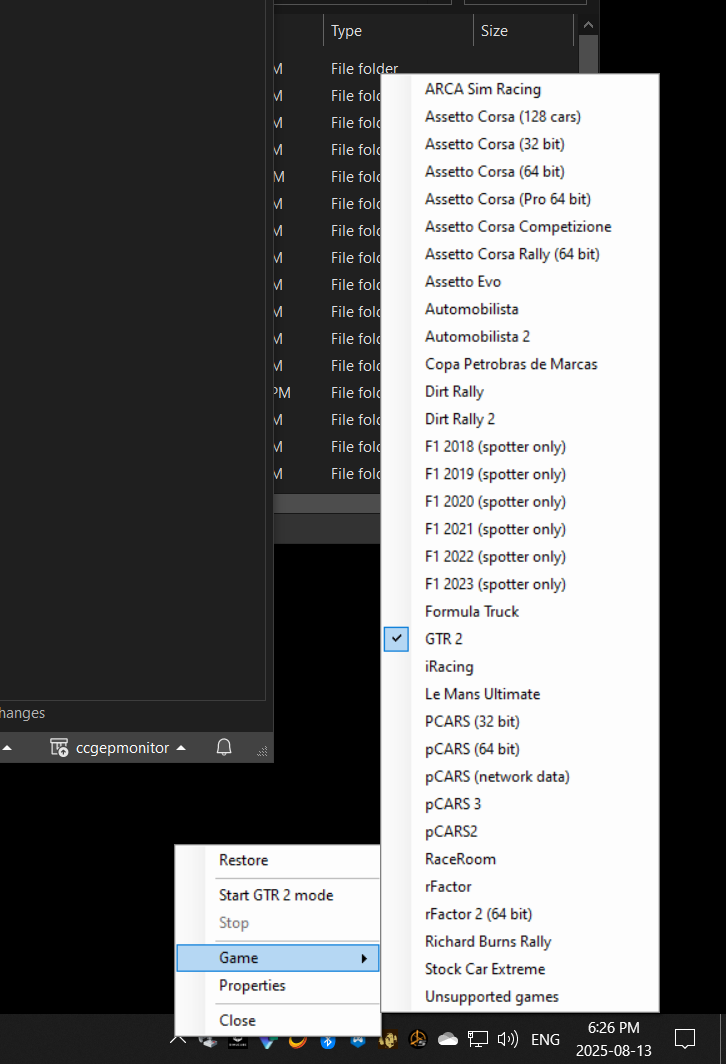
Sounds complicated. Why not use automatic switching instead?
I use SimHub. If I recall there’s some conflict with that?
If game uses UDP telemetry, Tuner will add its stuff to some game configuration files to use the telemetry. There is no way to pass from Tuner to Simhub / other softwares. But there is UDP forwarding in Simhub.
The limitation/conflict that actually is not possible to solve right now, happens with only one game as far as I know.
I’m also experiencing this. I’m pretty sure it also happens when the window is not minimized. Every time I put the pc to sleep, and then wake it, tuner is frozen. I just force quit and restart it, then it works. It’s been like this since I started using the new tuner.
Are you using Tuner 2.6.2 or 2.6.3? I thought tit was fixed in 2.6.2…
Yes this has been addressed and confirmed fixed
Sometimes the tuner deactivates High Torque Mode on its own. I’ve had this happen a few times, but until now only in offline mode. Now it’s happened to me in multiplayer. A whole race without FFB 
umm… if you deactivate high torque mode, you still have quite a bit of damping and friction, and some FFB.
Maybe you have some USB issue, that causes sim to loose connection with the device? Which sim is this happening in?
It’s not happening during the race or as long the base is on. Only sometimes after switching the base on, the high torque is deactivated. That has nothing to do with the sim. However, that was raceroom in that case.
It just happened again – base switched on, tuner started and High Torque Mode is deactivated, even though I have of course activated Automatic High Torque:
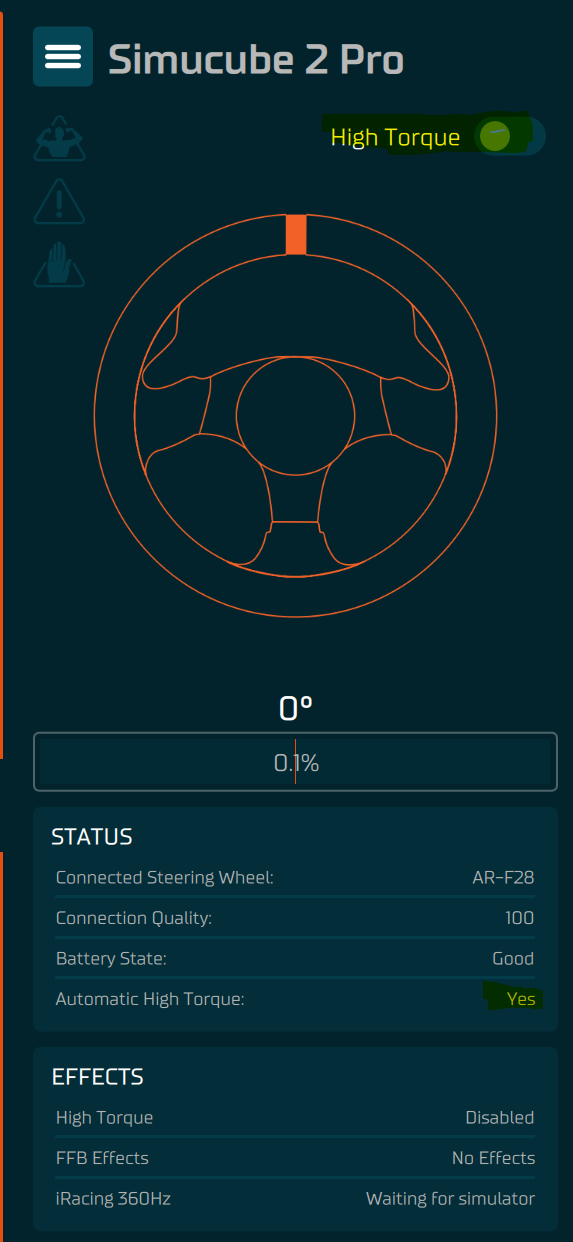
Which Tuner release is this?
Hi Mika,
Tuner release 2.6.3
Good morning,
i am back to iracing too, was about two years away. I got a new pc and installed everything from scratch. The new Tuner Software is a bit confusing but i guess i can dig my way through it.
I can see my old True Drive Profiles which i uploaded to Paddock. Seems to work.
My two problems:
Automatic High Torque mode doesn’t work reliable. Sometimes it is simply off and when i triy to reactivate it, i hang in a loop of waiting 10 sec to activate, confirm and get back to “off”.
Tuner closes itself or crash, don’t know for sure. But when i enter iRacing, sometimes FFB is gone and back on Desktop i see that Tuner is just closed.
And can it be, that High Torque mode just activate, wehn i enter a car? In True Drive i go the beeps of High Torque mode when True Drive starts automatically at Windows start.
Now i got the beeps, when i enter a car inSim.
Is that correct?
We changed the behavior in such way that if wheelbase has gone to sleep (automatic high torque mode = off, device goes to standby mode in 7 minutes), then it will be automatically woken up when you turn the wheel enough.
What might be happening in your case is that you need to save settings in the wheelbase settings view at least once, and then I think the automatic high torque mode will work properly.
1 Like
Hello,
i noticed that the Tuner software prevents my graphics card from idling.
Is that behaviour known and intended? And, when not, how can change it?
I think we do compile it with software OpenGL library, but yeah, I think the advanced graph features are 3D accelerated and thus can keep GPU clocks high. You can probably control this with your graphics card driver software by making profiles - or at least you could 10 years ago with RivaTuner + Afterburner when I last had to do this myself.
I’m having the same issue where my PC launches Simucube True drive paddock with latest hotfix however it will freeze intermittently and take about 25-40 seconds to return to normal.
Not sure if this is because of the Simucube Tuner software being installed as well, however when Tuner software is turned on, you cannot access Paddock until you fully close Tuner 3.0 from the tray/processes (intentional I believe?)
Either way, this issue is happening after a while with Paddock software 2024.7.1. Also when opening the software from new after closing it.