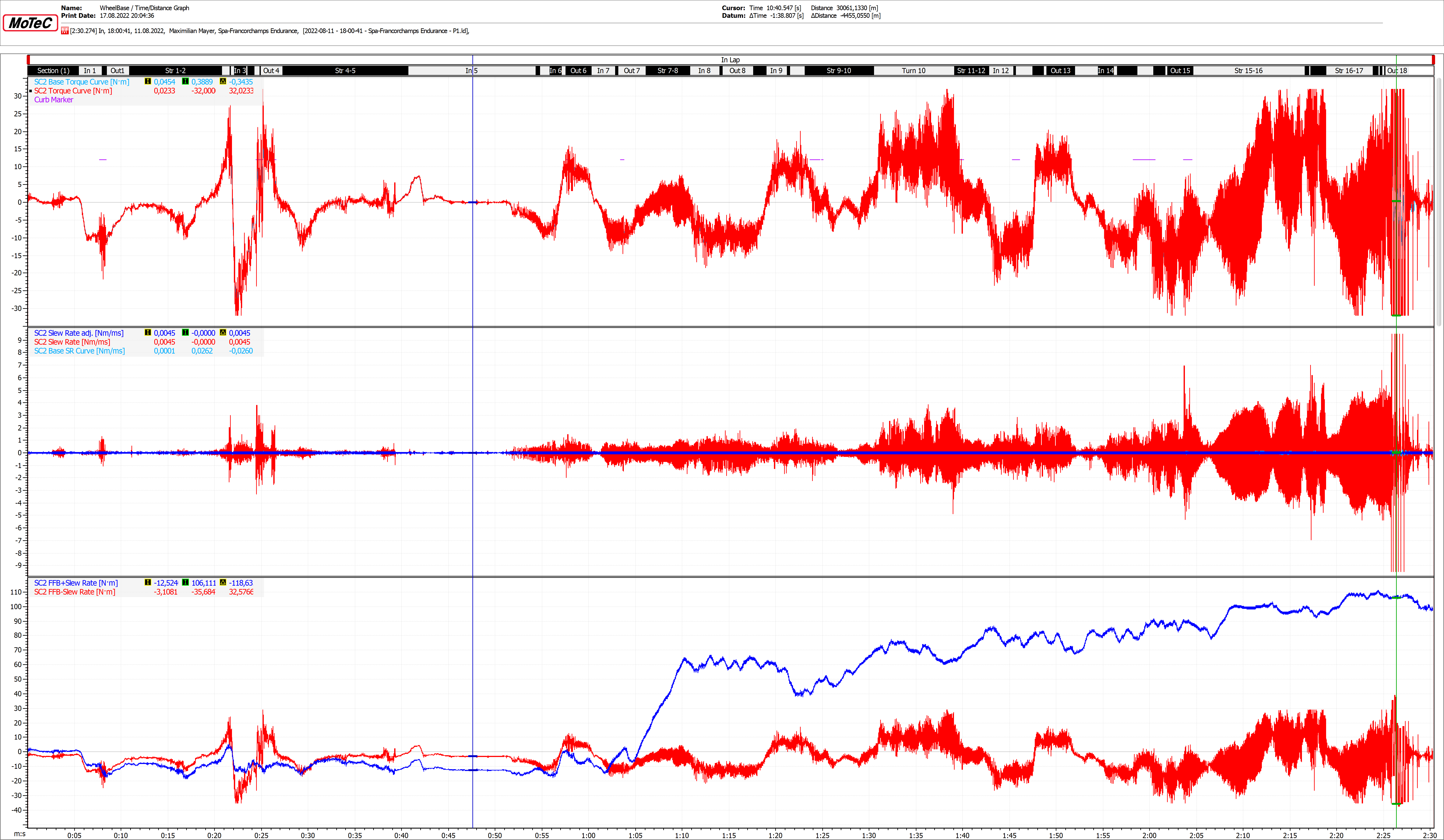
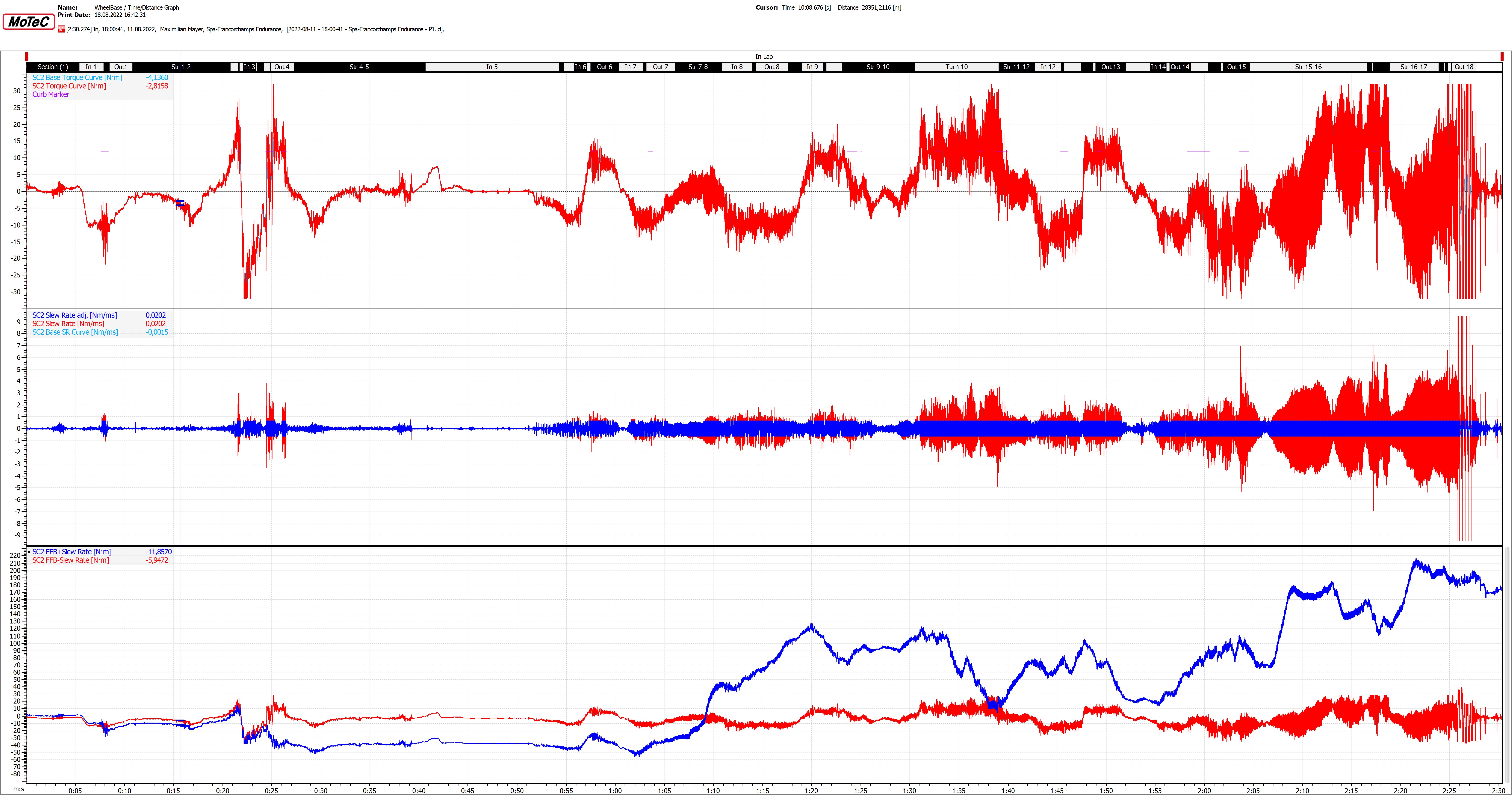
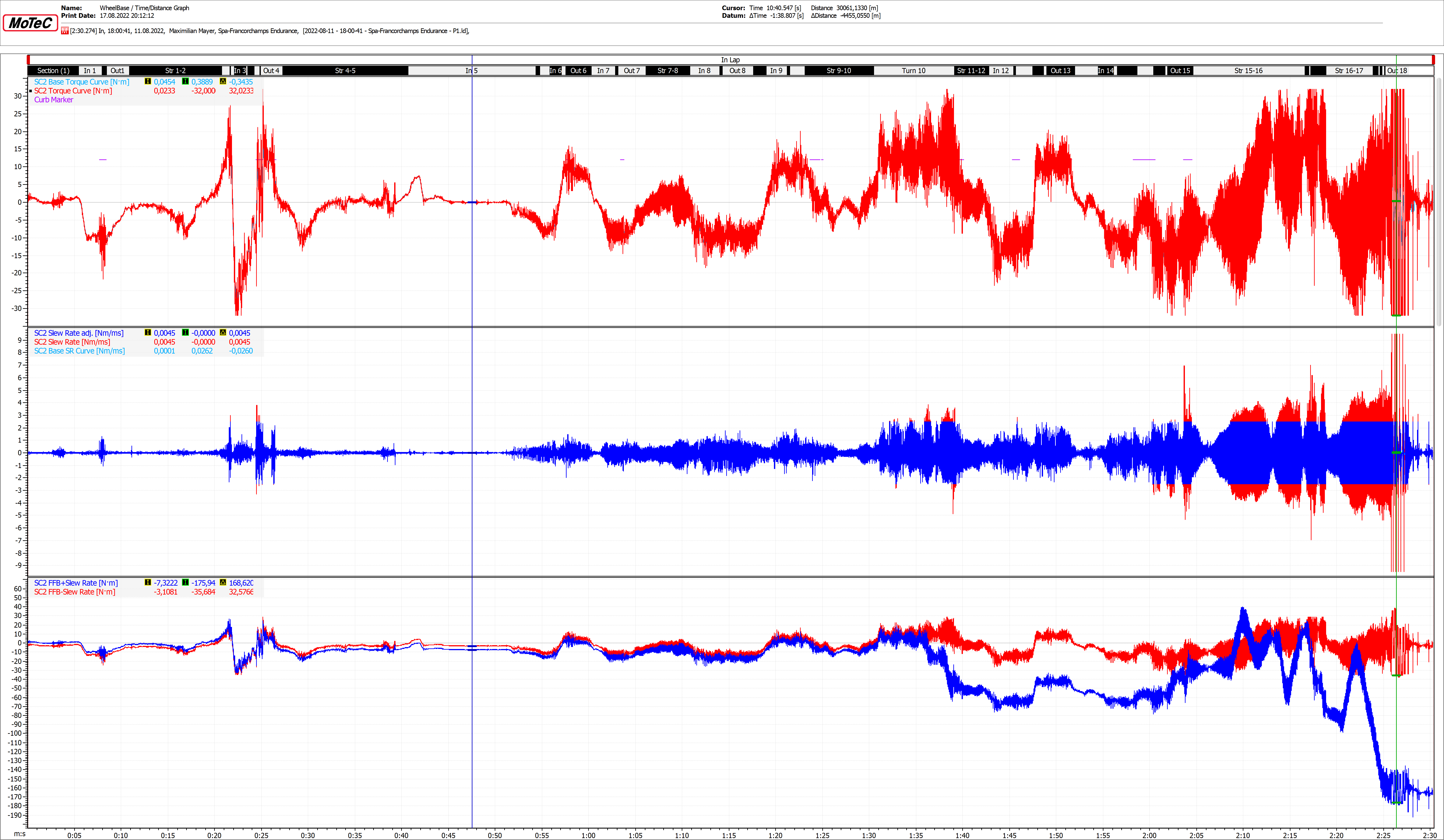
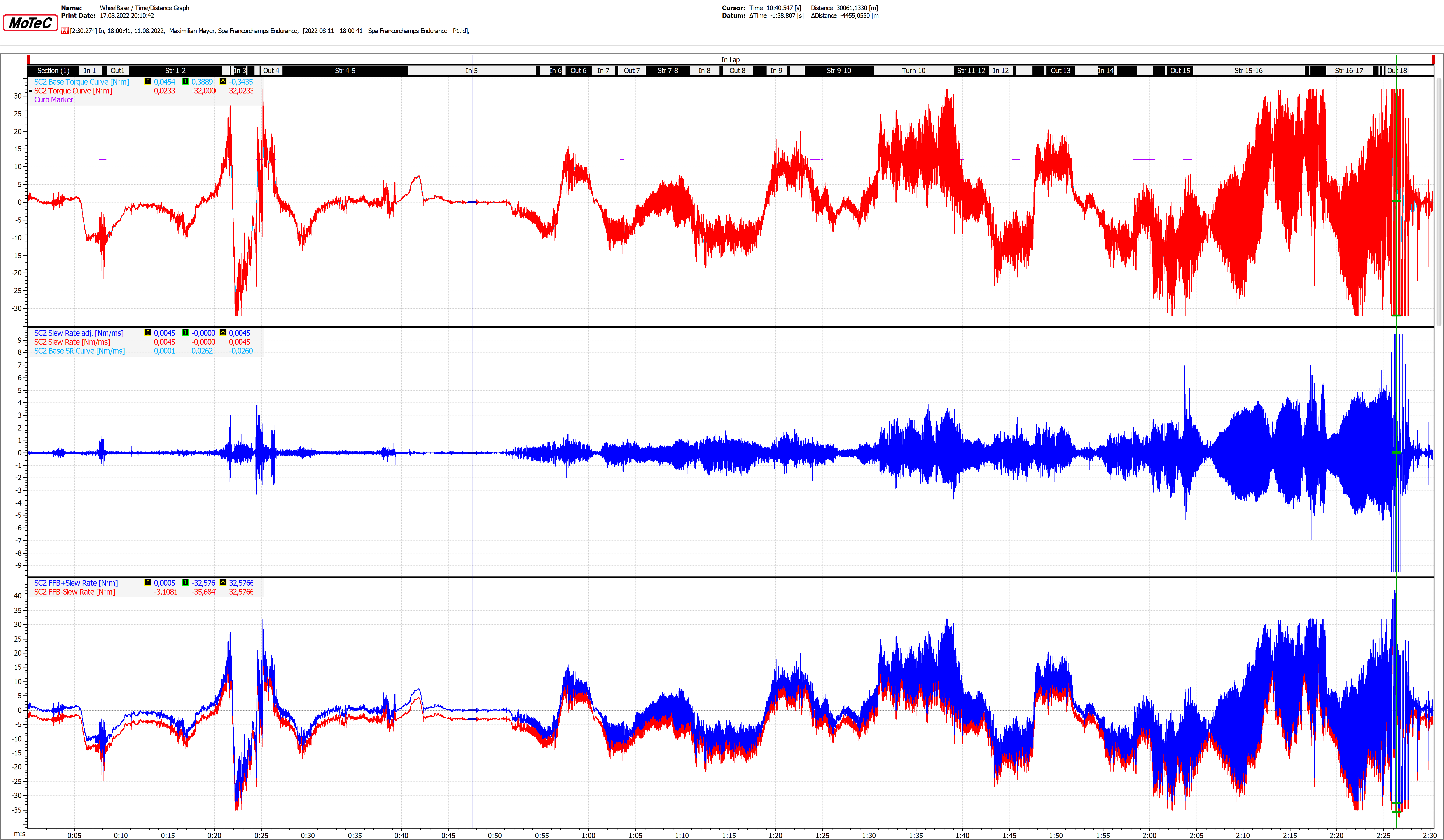
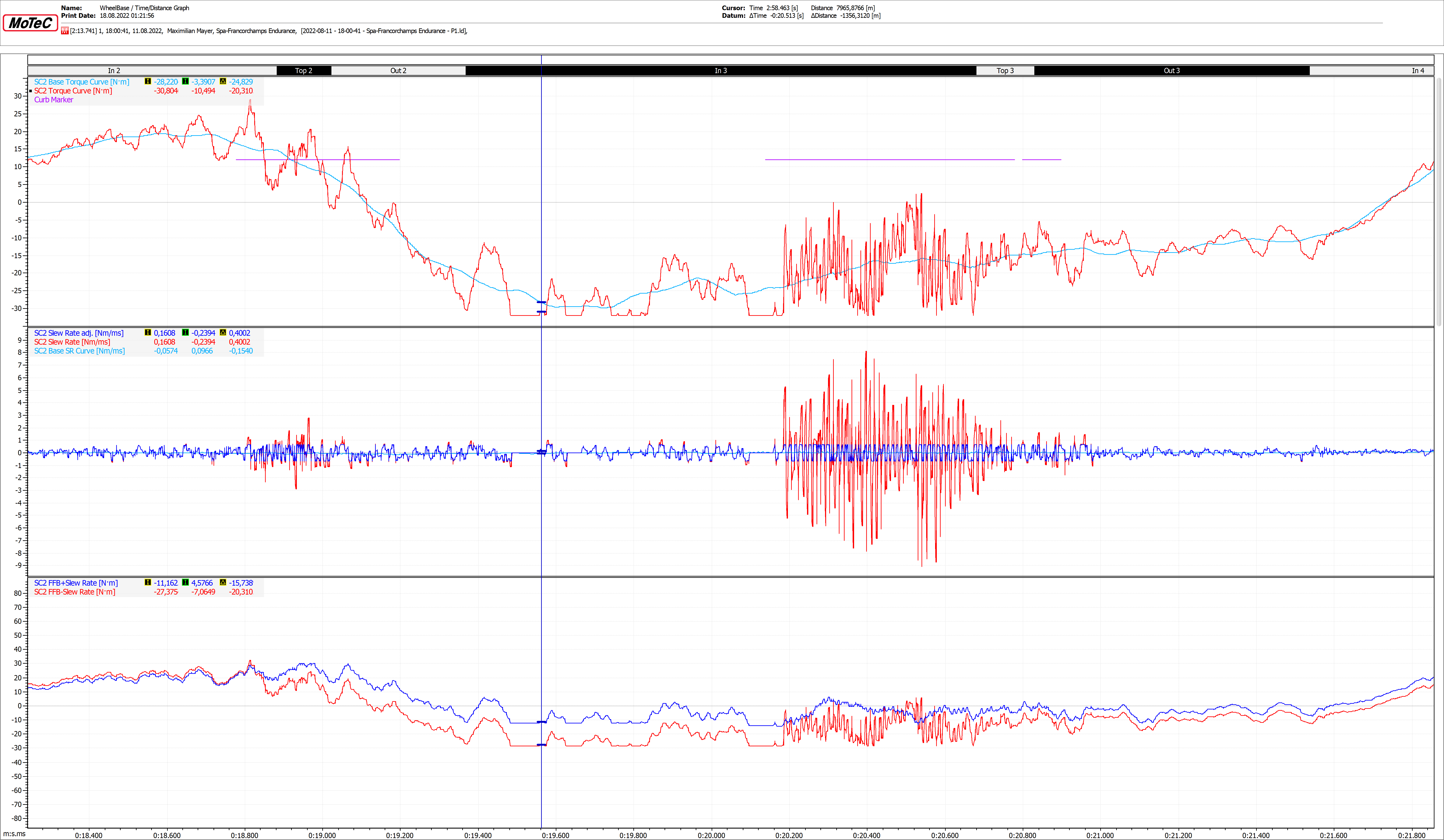
So all four screenshots show the same 3 graphs with different “Slew Rate’s” (0.1 /0.65 /2.5 & 9.5Nm/Ms).
On the first graph:
“SC2 Base Torque Curve[Nm]” shows the basic FFB-Torque…like curves for example and a bit of oversteering if it doesn’t require too much slew rate.
“SC2 Torque Curve[Nm]” shows simply the FFB signal output by (in this case) Rfactor2. So the “car multiplier”(aka PreAmp) has an influence on the curve, but also the settings in the .json files.
“Curb Marker” tells me if I’m currently driving on curbs. The reason is that I get a hind where the frequencies come from that bother me. In “La Source” you can see it quite well. (Doesn’t look like a big deaL, but it’s super practical =) Especially because the games aren’t 5-star orchestras. Hope no one will be mad at me, but anyone who has ever worked with Cubase or Wavelab knows that the CPU places limits on signal generation and SimRacing is signal generation.
The second graph just shows different slew rates.
“SC2 Slew Rate adj. [Nm/ms]” shows me the slew that I would like to visualize. In other words, I recreated the “True Drive- Slew Rate -Effect” in Motec. As above (0.1/0.65…). I used to call it Adjusted (adj.).
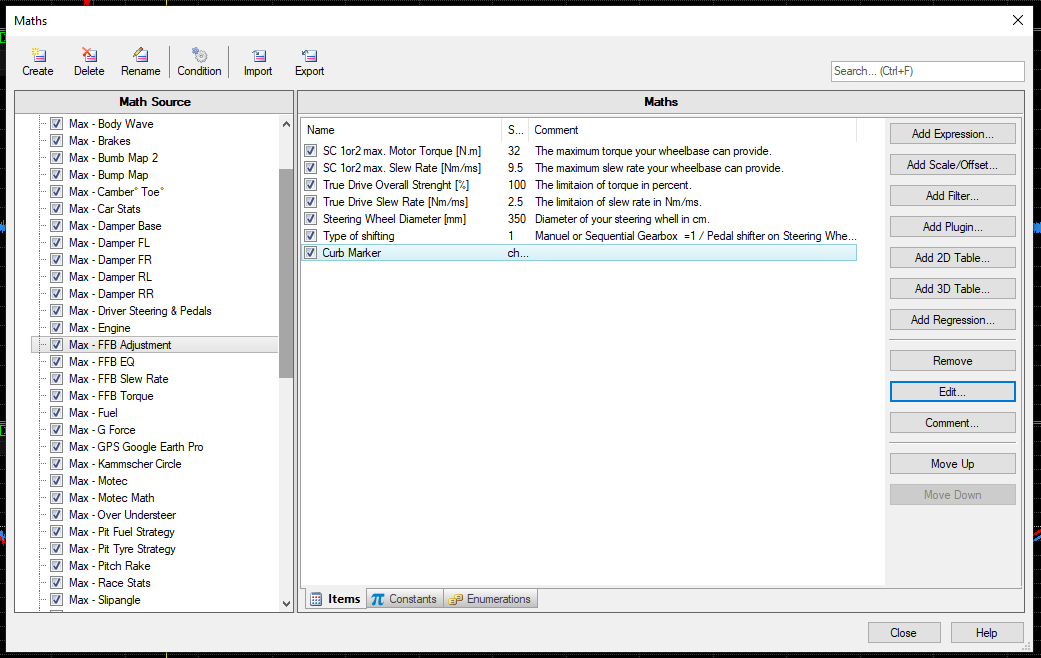
Here you can then adjust everything. Maximum torque & slew rate of your base and of course your true drive settings. It’s interactive so the Sport, Pro and Ultimate can use it.
“SC2 Slew Rate [Nm/ms]” is the slew rate the game wants, but limited by the maximum slew rate of the wheelbase. I always put the slew rates on top of each other… so you can see where the signal is being compressed. Is then the blue curve before the red curve.
“SC2 Base SR Curve[Nm/ms]” shows me the slew rate of the “SC2 Base Torque Curve [Nm]”. Namely, if you give your Simucube2 less slew rate than it needs for cornering and oversteer, you’ve definitely gone too far.
With the third graph I do the calculation back into a torque. So the red slew rate curve, which is only limited by the maximum slew rate of the SimuCube, and the blue slew rate curve, which is changed by our True Drive setting. Unfortunately, this is then distorted (NOT IN THE GAME, ONLY IN MOTEC), but you can tell by the thick curves in the flat spots. So based on the ratios and the peak to peak values. For example, with the 0.65Nm/ms slew rate I reduce the torque of the crash from ~54Nm to ~10Nm… i.e. reduced by 44Nm. So you can let children play with it with a clear conscience. 



 ).
).
 Sorry…
 Turbo
Turbo 


 , these are not intended for IRacing. I don’t think they will run well under IRacing because the FFB signal is different.