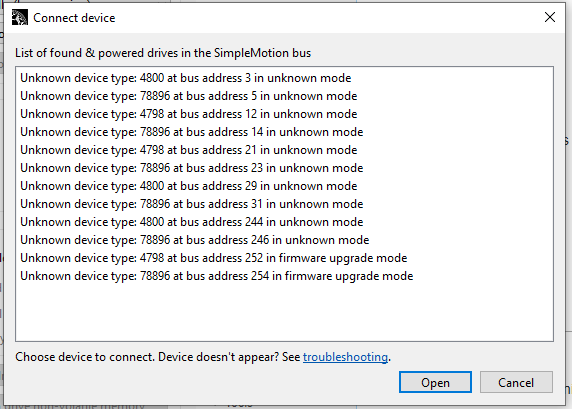
I am trying to connect my main device through granity with altenate usb port.
I have that:
I don´t remember if I should use the usb dongle, I have one but where???
I also have another device to diagnose and nothing shows on this one in granity but device is still working.
Hello Mika
Interesting question.
I didnt even remember about simucube configuration tool so I downloaded again. Now I remember a bit.
I have two simucube here, one working so perfect that I just use it without ever connecting to anything.
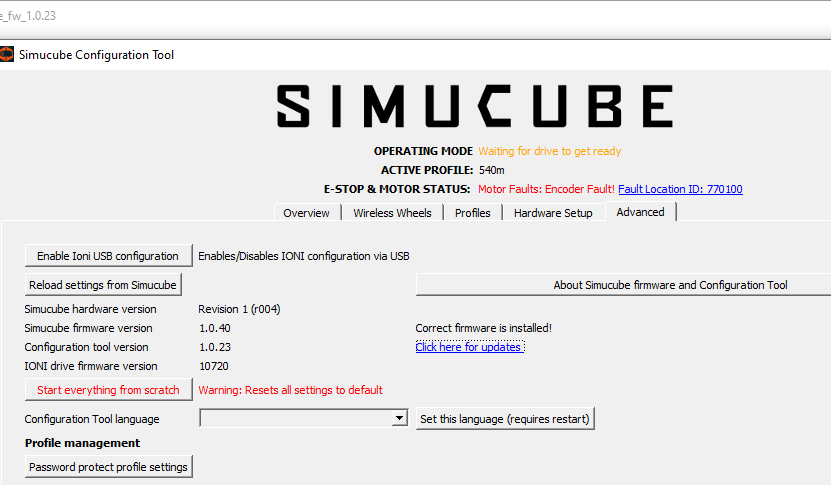
So this one is too old firmware for fw 1.051 and too new for 0.50.4d beta. The firmware in between are 404. I might find the correct version on my other PC, next week.
The other simucube is not mounted by me, I don´t know what´s inside. However it shows the same behavior with the configurator.
I would like to check ioni ioni pro, current and save settings on both. Then maybe update to the latest.
I do not want to flash any new firmware without a configuration save first.
I think you’re right to save the settings before touching the firmware, especially since you’ve got two units with different histories.
One thing I’d be a little careful about is keeping the configuration backups clearly separated. It would be pretty easy to mix them up later, particularly with the unit you didn’t assemble yourself.
Maybe note the current firmware version alongside each backup too, so you know exactly what you’re looking at if something behaves differently after an update.
Good that the old download links are working again. At least that’s one less thing to worry about.
I did save all the Profiles, but I need to save the hardware settings. Can I do that within this tab or should I enable IONI configuration to do it via Granity? I am rusty and I would prefer to do it properly than to suffer later?
I am bit concerned about pushing the latest firmware without having a proper backup first.
OK total success!
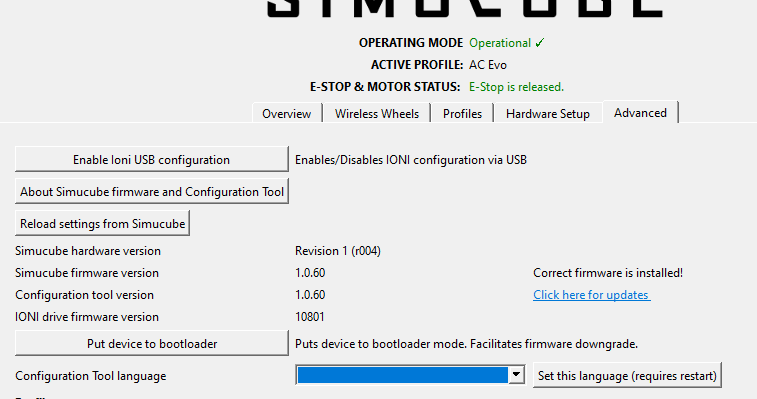
Both drive settings check and then updated to the latest version.
The upgrade system from Simucube configuration is pretty good.
The only small issue I had was on my main rig which is currently disconnected I have been stubborn and I did not press the E-Stop. As a consequence the firmware upgrade seems to work but it doesn´t (repeated 3 times). In my opinion a abort message should be better suited. Anyway after pressing E-Stop it went great.
As a side note my extra one was bought as non working unit so I was looking for some problems. The only problem I found was it needed a update to work with 1.0.62 And maybe the power cable could be shieled better…